Seawall Get the app
Porn blocker · App blocker · Free

Block adult sites and distracting apps. Nothing leaves your phone.

Seawall blocks adult websites always, and any app or site on the schedule you choose. A friend you trust holds the PIN. It has no internet permission, no account and no ads.

Get it on Google Play Download on the App Store
  • No internet permission
  • No account
  • No ads, no tracking
  • Android and iPhone
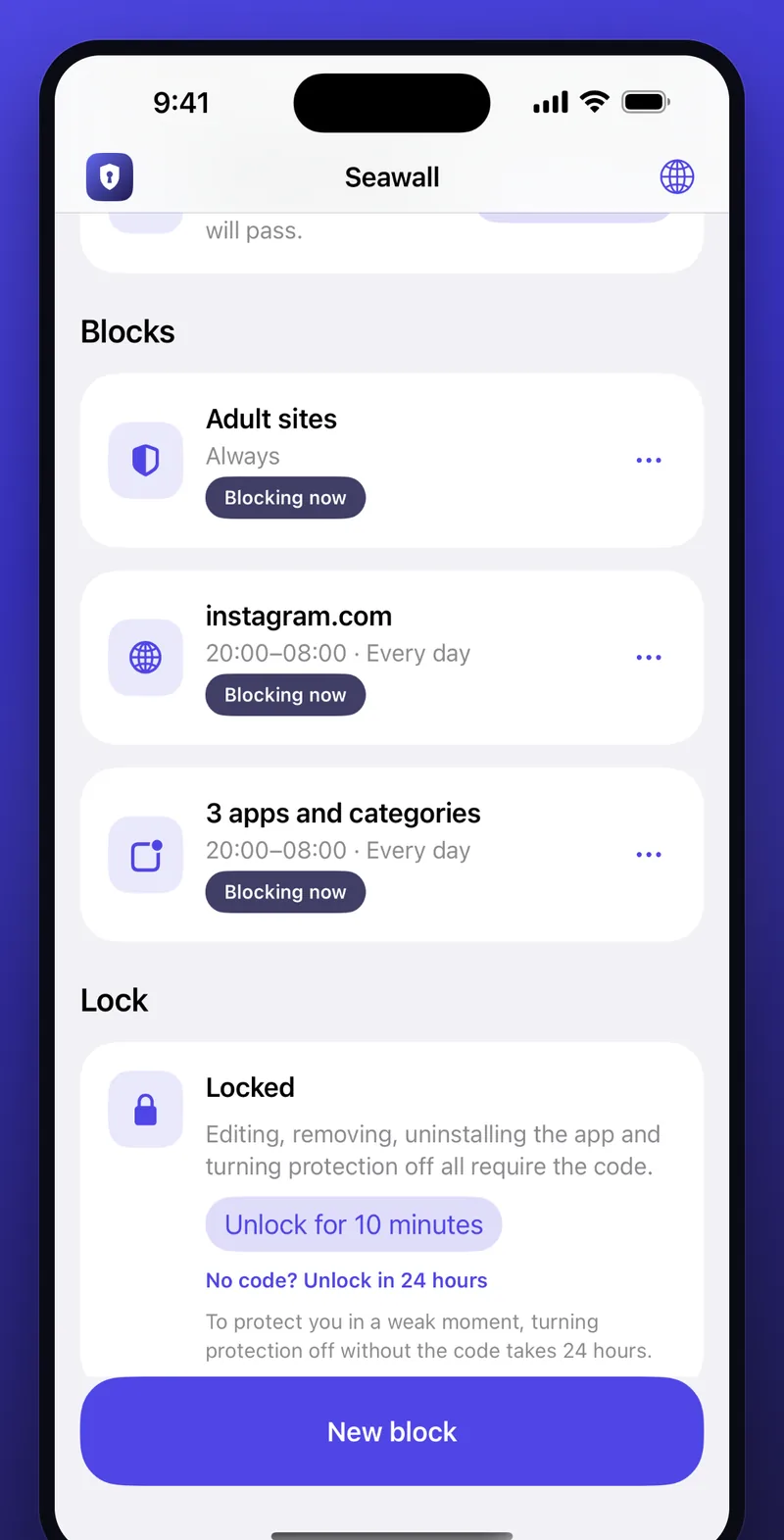
Seawall home screen on iPhone: Adult sites blocked always, instagram.com and three apps blocked 20:00 to 08:00 every day, and the lock card with the 24-hour unlock option.

One quiet wall between you and the things you asked it to keep out

No lectures, no dashboards, no cloud. Seawall does four things well and stays out of the way.

Adult sites: blocked, always

A built-in list of adult websites and keywords is on from the moment you enable it, with no schedule and no exceptions. Add your own sites and words to the list whenever you like.

  • Works in Chrome, Firefox, Samsung Internet and other browsers on Android
  • On iPhone, site blocks also turn on Apple's adult-content filter in every browser
  • Blocks by keyword too, so new domains don't slip through
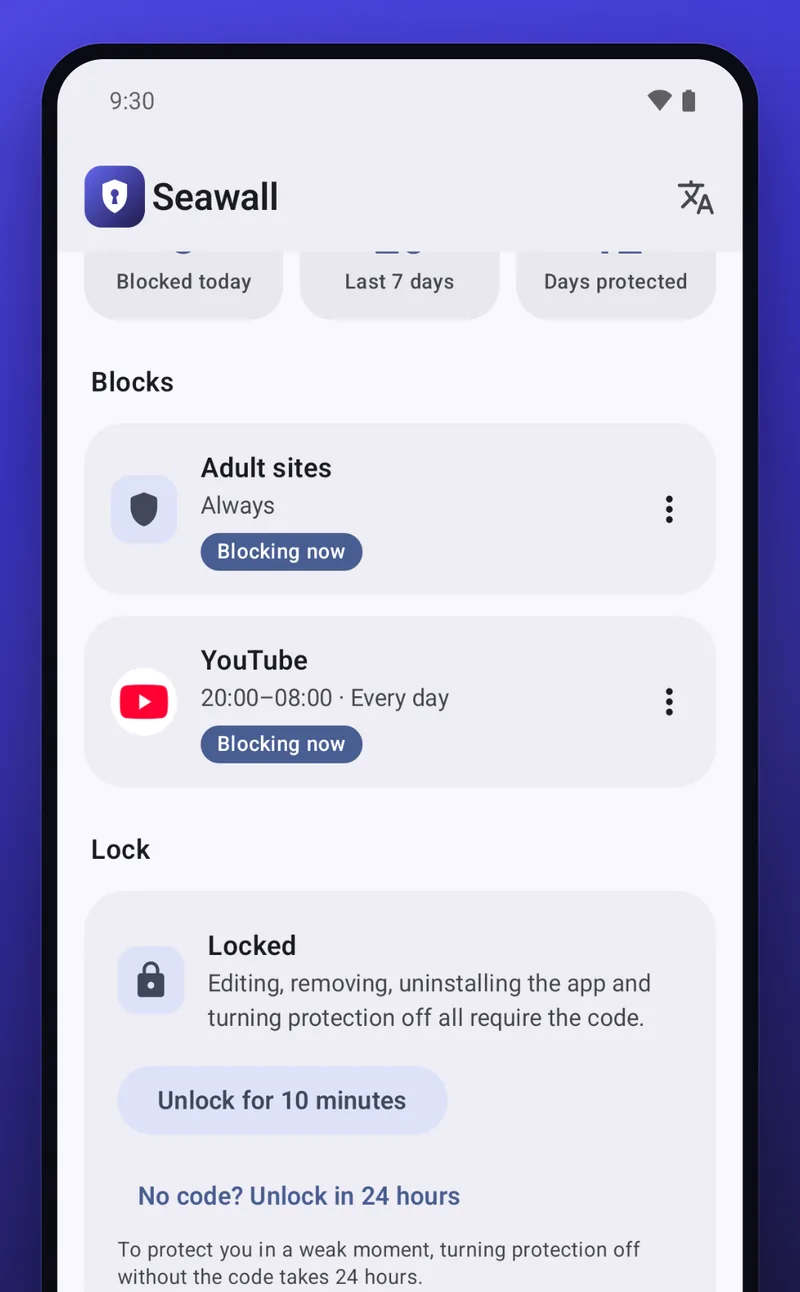
Seawall on Android: the Blocks list showing Adult sites blocked always and YouTube blocked 20:00 to 08:00, with the lock card below.

Any app or site, on your schedule

Instagram from 20:00 to 08:00. YouTube on weeknights. A news site during work hours. Pick the app or the website, set the hours and the days, and Seawall holds the line while you sleep.

  • Overnight windows that cross midnight
  • Separate days for weeknights and weekends
  • On iPhone, block whole app categories at once
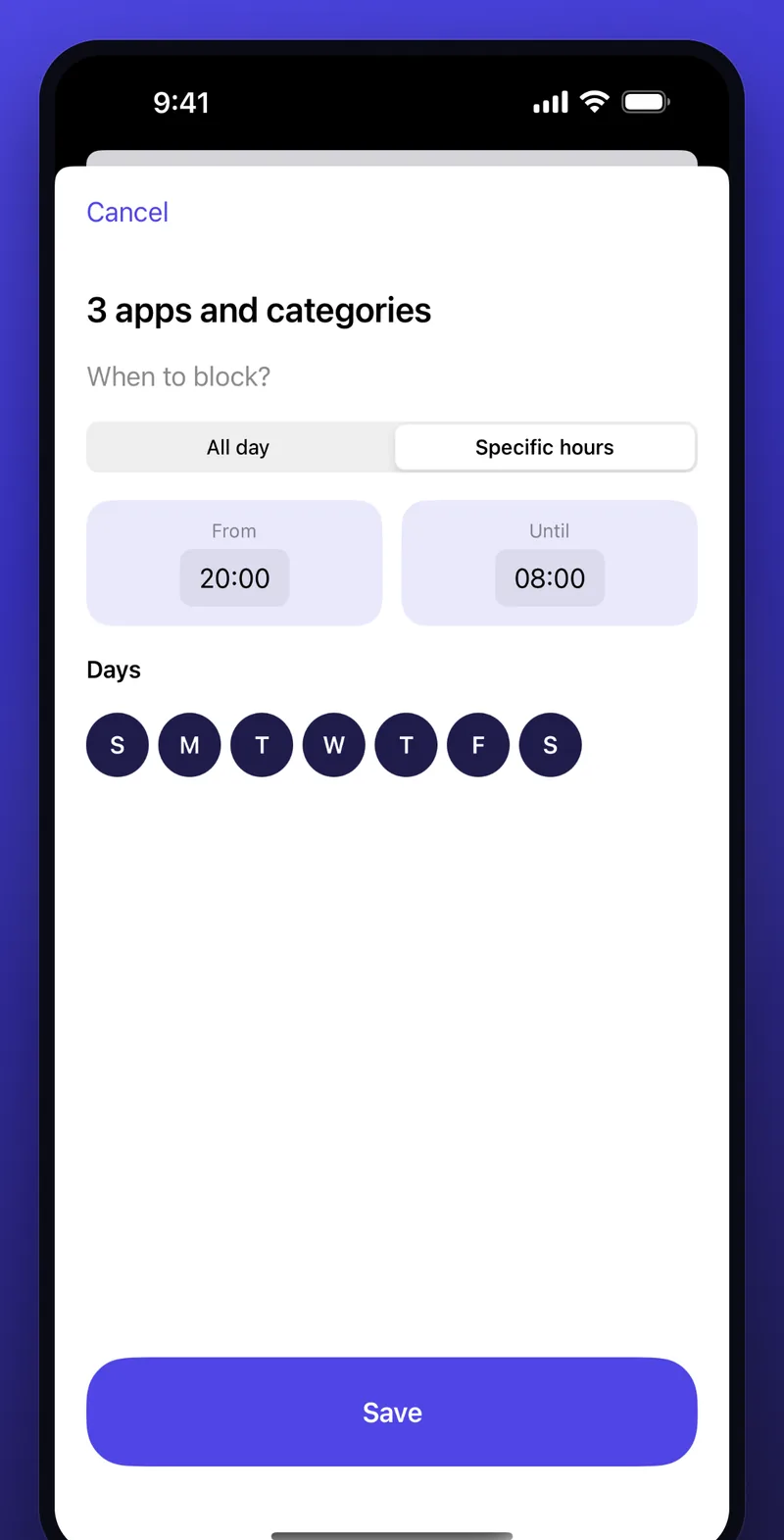
Seawall schedule editor on iPhone: three apps and categories blocked at specific hours from 20:00 until 08:00, every day of the week selected.

A friend holds the PIN

Give the code to someone you trust: a partner, a mentor, a sponsor. Best of all, let them type it so you never know it. While protection is locked, editing, removing, uninstalling and turning it off all ask for the code.

No code? You can still turn protection off. It just takes 24 hours, and you can cancel the request at any time. The delay outlasts any urge.

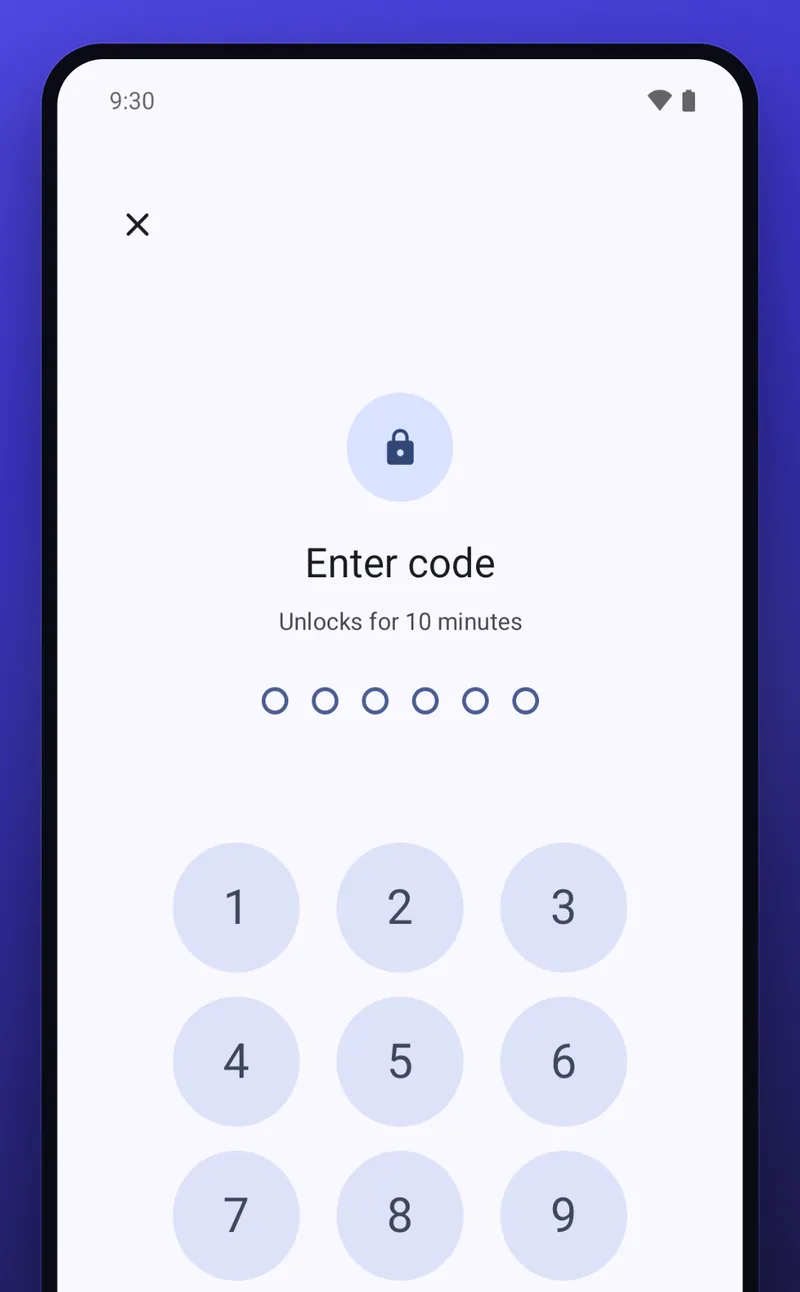
Seawall PIN pad on Android: Enter code, unlocks for 10 minutes, six empty dots and a numeric keypad.

An urge is a wave. It passes.

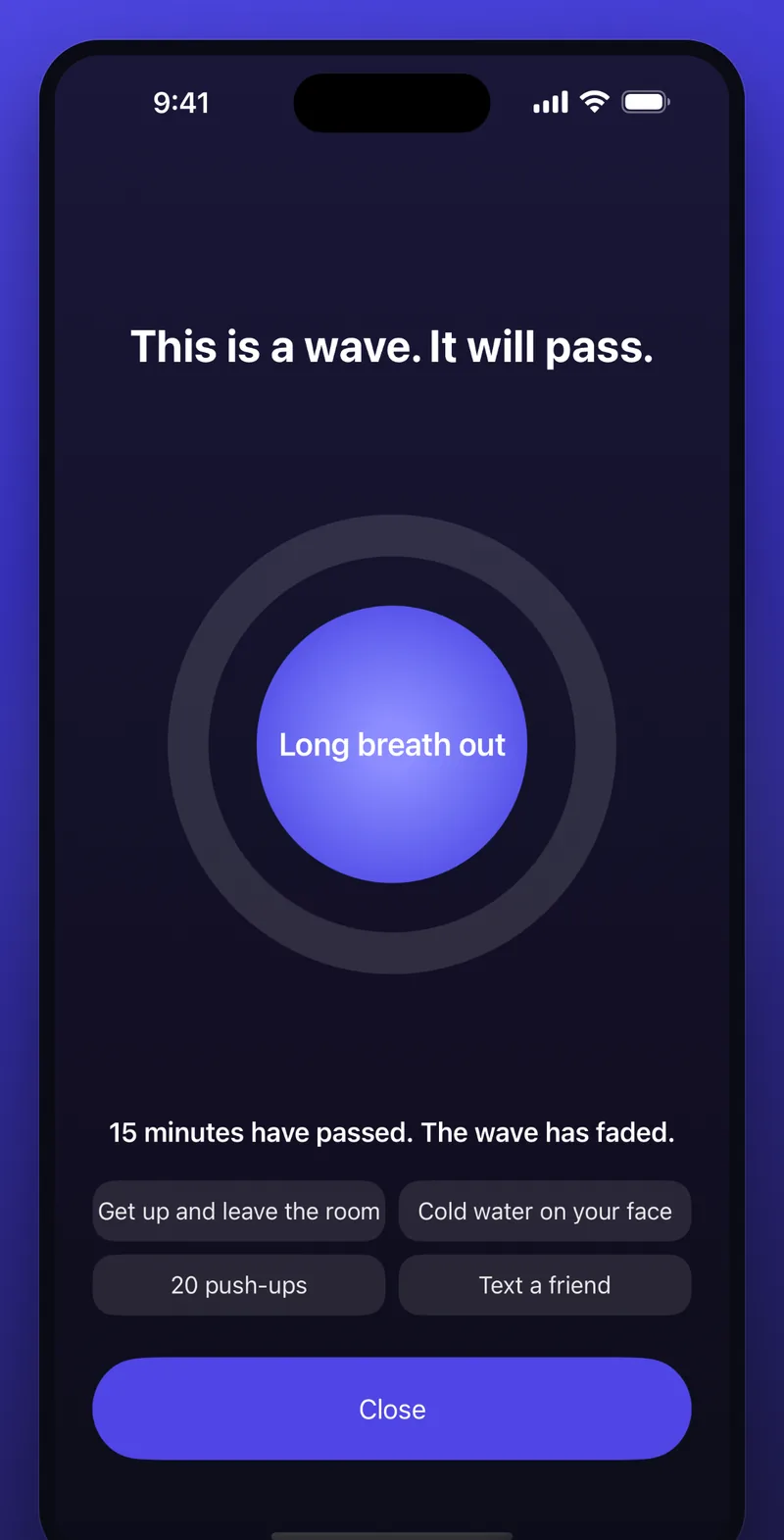
When you hit a block you don't get a lecture. You get a breathing circle, a 15-minute countdown and four small things to do instead: get up and leave the room, cold water on your face, 20 push-ups, text a friend. Breathe out slowly. The wave rises, peaks and fades.

Read about urge surfing and the 15-minute rule

Seawall block screen on iPhone: dark background, the words This is a wave. It will pass., a glowing breathing circle saying Long breath out, and four suggested actions.

Private by design, not by promise

Most blockers route your browsing through a VPN or send your data to their servers. Seawall can't, because it has no way to reach the internet at all.

No internet permission

On Android the app is built without the INTERNET permission. Check it yourself under Settings, Apps, Seawall, Permissions. On iOS it makes no network requests.

No account, no sign-up

Install it and start. There is no email to give, no password to invent and nothing to recover.

No ads, no tracking

No analytics, no advertising SDK, no server. The Data safety section on Google Play says it plainly: no data collected, no data shared.

Your history stays yours

Your blocklist, the count of blocks and your days-protected streak live in the app's private storage on your phone and are deleted when you uninstall.

How it works

Three steps, about two minutes, and your first protected day begins.

  1. Install and allow

    On Android, turn on Seawall's Accessibility service so it can see which app or address is in front. On iPhone, allow Screen Time access so Apple can apply the shields.

  2. Choose what to block

    Adult sites are one switch. Then add any app or website with the hours and days it should be off-limits.

  3. Hand the PIN to a friend

    Set a code and let someone you trust type it. From now on, changing your settings needs their code, or a 24-hour wait.

Android and iPhone, the same idea

Each platform gives an app a different way to block. Seawall uses the one that keeps your data on the device.

Android

Seawall uses the Accessibility Service to read only the foreground app's name and the address in your browser's bar, in real time, on the phone. Blocked apps and sites open the wave screen instead. While locked, the app can't be uninstalled or force-stopped from Settings and the Accessibility toggle is guarded.

Android 8.0 and up. Known limit: a computer with developer tools can remove any app.

Seawall on Google Play

iPhone

Seawall uses Apple's Screen Time framework (Family Controls, Managed Settings and Device Activity). Apple applies the shields on your device and Seawall never sees which apps you open or which sites you visit. The apps you pick are stored as opaque tokens that even Seawall can't read.

Site blocks also turn on Apple's adult-content filter in every browser, and the 24-hour delay is Seawall's own, so there is no passcode reset through your Apple Account.

Known limit: like any iOS app, Seawall can be deleted from the Home Screen unless you disallow Deleting Apps in Screen Time.

Seawall on the App Store

Questions people ask

Is Seawall really free?

Yes. Seawall is free on Google Play and the App Store. There is no subscription, no in-app purchase, no ads and no premium tier.

Does Seawall need an account or internet access?

No. There is no account and no sign-up. On Android the app is built without the INTERNET permission, which you can verify in your phone's app settings. On iOS the app makes no network requests. Your blocklist, your history and your streak never leave your phone.

How does Seawall block websites on Android?

Seawall uses Android's Accessibility Service to see which app is in front and which address is shown in your browser's address bar. When something on your blocklist appears, it shows the block screen. It reads only the foreground app's name and the address bar text, in real time, on your phone. Nothing is stored, sent or shared. It works in Chrome, Firefox, Samsung Internet and other browsers. Seawall is not an accessibility tool for people with disabilities.

How does Seawall work on iPhone?

On iPhone, Seawall uses Apple's Screen Time framework (Family Controls, Managed Settings and Device Activity). Apple applies the shields on your device, and Seawall never sees which apps you open or which sites you visit. Site blocks also turn on Apple's adult-content filter in every browser.

What if I need to turn protection off but I don't have the PIN?

You are always in control. With the code, you can unlock for 10 minutes. Without the code, you request a release and protection turns off after 24 hours. You can cancel the request at any time. The delay is the point: it outlasts any urge.

Can Seawall be bypassed?

While locked, blocks cannot be removed, the app cannot be uninstalled or force-stopped from Settings, and the Accessibility toggle is guarded. A determined person with a computer and developer tools can still remove any app from a phone. Seawall is a fence, not a prison, and it is strongest with a partner who holds the PIN.

Does Seawall work alongside a VPN or a DNS filter?

Yes. Seawall does not use the VPN slot and does not change your DNS settings, so it runs alongside a real VPN or a family DNS filter without conflicts.

Is Seawall a parental control app?

No. Seawall is for adults managing their own device use. It is not directed at children and is not a parental-control product.
Start your first protected day

Install Seawall, choose what to block, hand the PIN to someone you trust. Free, private, and simple.

Get it on Google Play Download on the App Store